
How to Use Higgsfield Genjutsu: Swap the Person in Famous Videos Like the STORM and Hotel Lobby Trends (2026)
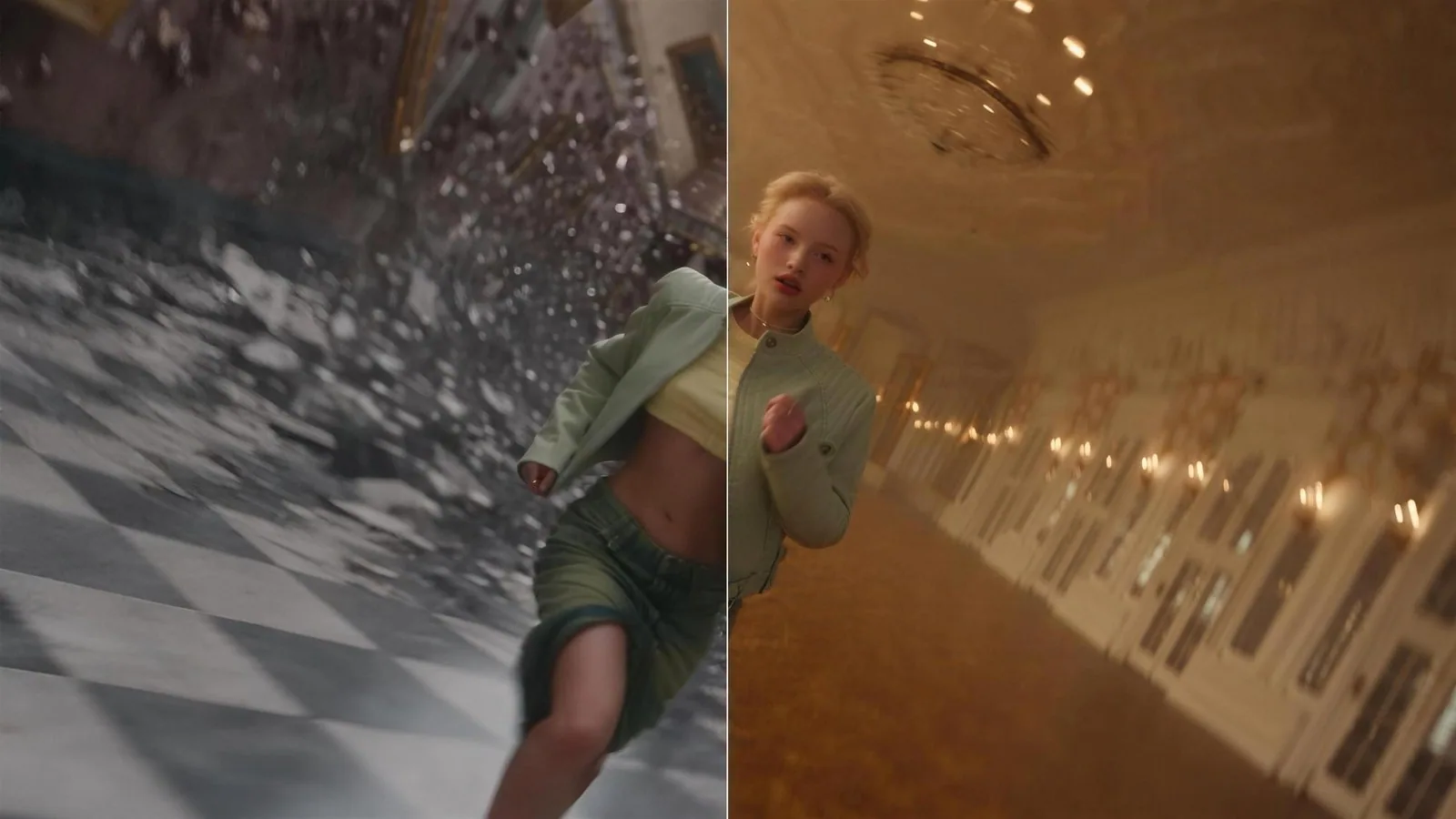
What are the STORM AI and Hotel Lobby AI videos?
STORM AI and Hotel Lobby AI videos keep the original choreography and camera work but replace the performers with other people or characters, and they were the two biggest AI video trends of September 2026. Both work because everyone already knows the source, so a single swapped face carries the joke.
Hotel Lobby starts from Quavo and Takeoff's A COLORS SHOW performance "HOTEL LOBBY," published in June 2022, which has more than 120 million YouTube views. A version with two cats spread on TikTok in early September 2026, followed by politicians, TV characters and football players. On September 23, Quavo reposted the original on Instagram with the caption "The original!!!"

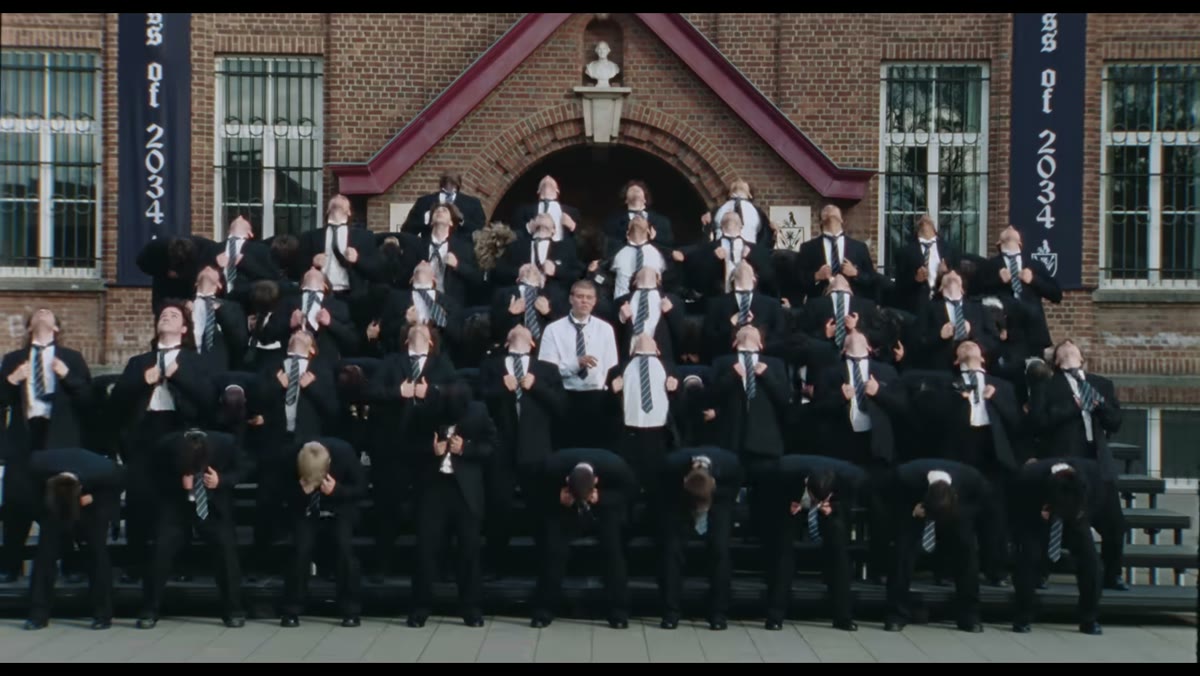
STORM starts from GENER8ION's music video "STORM," released in April 2026, directed by Romain Gavras with choreography by Damien Jalet. The trend uses the roughly 30 second finale in which a crowd in school uniforms dances in unison around one man. Creators swap the man in the center, the whole crowd, or both, and in Korea the edits circulate under #스톰2챌린지 and #AI메가크루.
What is Higgsfield Genjutsu?
Higgsfield Genjutsu, released on August 31, 2026, is an AI video editing tool that rebuilds only the part of a clip you choose, whether a person, an object or a location, while keeping the original motion and shot structure. Genjutsu (幻術) is Japanese for "illusion technique," a term best known from Naruto, where it traps an opponent in an illusion.
It has two features. Motion Transfer extracts the movement from a source video and applies it to a new person or character, and it is what the STORM and Hotel Lobby trends use to replace people entirely. Object Swap replaces only the elements you specify and leaves the rest of the footage untouched, which fits when you want to keep the person but change a prop or the background.
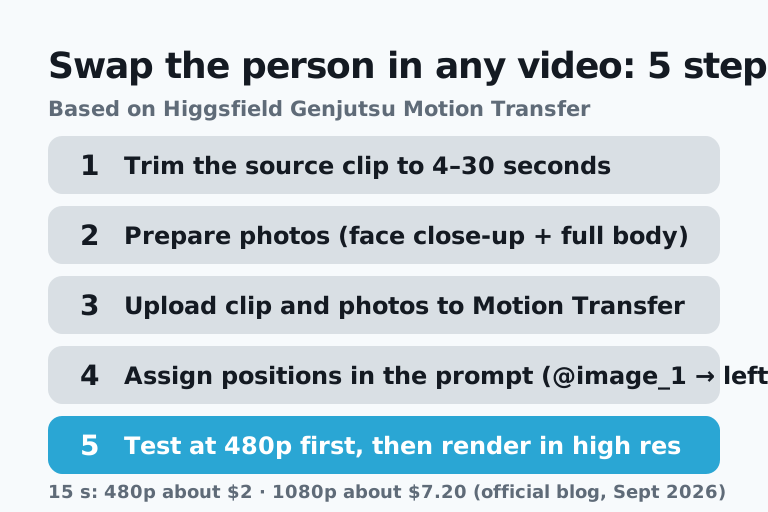
How to use Higgsfield Genjutsu in 5 steps: swapping a person in a video
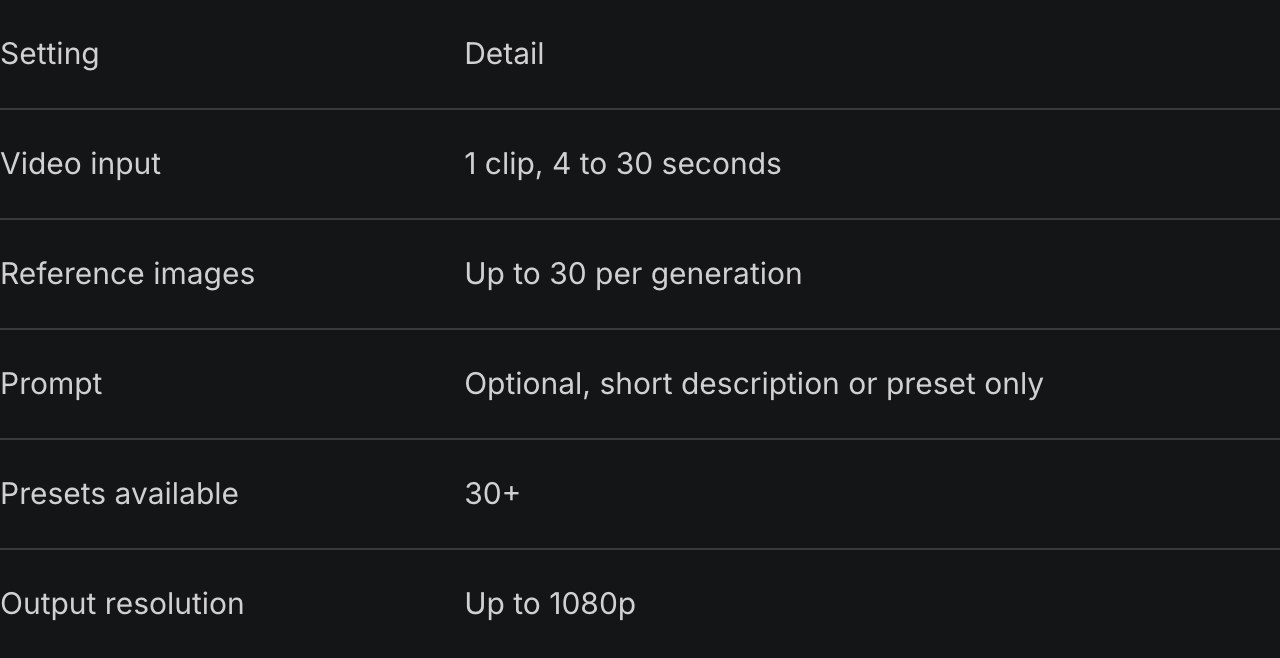
Higgsfield Genjutsu Motion Transfer takes one source clip of 4 to 30 seconds plus up to 30 reference images and outputs video at up to 1080p, and the process has five steps.
- Trim the part of the source you want to 4 to 30 seconds. The official limit per generation is 30 seconds.
- Prepare photos of the new person: one frontal face close-up and one full-body shot at minimum, plus outfit shots if you want the clothes to change.
- Choose Motion Transfer in Genjutsu and upload the clip and photos. Published tutorials refer to them in upload order as @video_1, @image_1, @image_2 and so on.
- Write who goes where. The prompt is optional and more than 30 presets exist, but with several people on screen it is more reliable to add the assignments along with "keep the original motion, camera, cuts and rhythm."
- Render 10 to 15 seconds at 480p first, and only render the full clip at 720p or 1080p once it looks right.
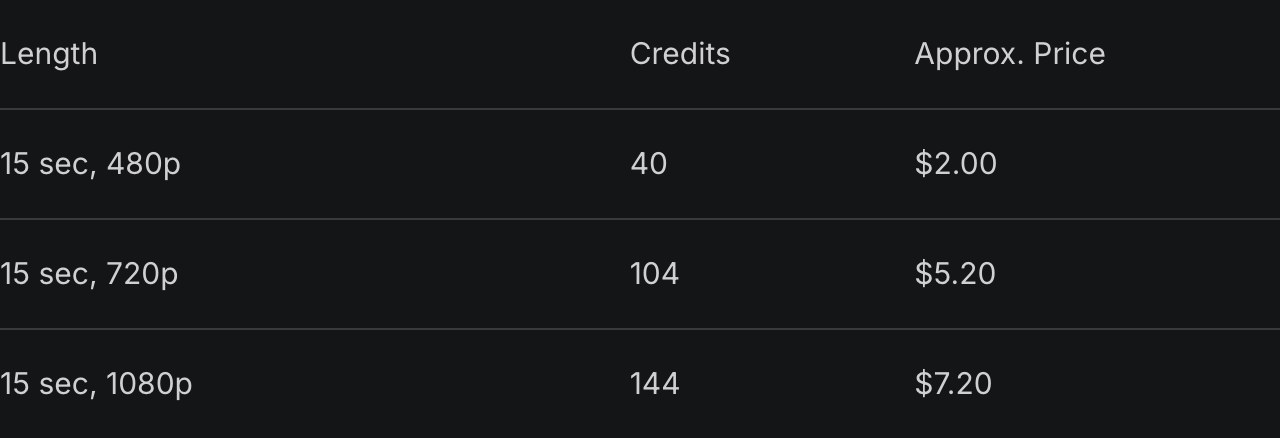
Per Higgsfield's official blog, pricing as of September 2026 for 15 seconds is 40 credits at 480p (about $2), 104 credits at 720p (about $5.20) and 144 credits at 1080p (about $7.20). Some tutorials say the first generation is free to try, but the official pricing page does not state it.
How to make the STORM AI trend: assign the center dancer and the crowd separately
Making the STORM AI trend comes down to linking the center dancer and the surrounding crowd to separate images, and two photos are enough.
- Trim the finale dance section of the music video to 30 seconds or less.
- Prepare one frontal photo for the center dancer and one photo of the outfit the crowd should wear.
- Separate the targets from what should stay the same, for example:
"replace the center man with @image_1, all students with @image_2, keep exact choreography, camera and uniforms"
- Test with 10 to 15 seconds first.
For a dog-in-the-middle version, drop the second instruction and keep only "the center person with @image_1." The most common failures reported by creators are outfits mixing between shots, crowd members duplicating or disappearing, and faces smearing in wide shots.
How to do the Hotel Lobby AI trend: pin left and right to image numbers
The Hotel Lobby AI trend has two performers on screen at once, so the prompt must assign the left and right performers to specific image numbers or the two identities blend.
- Trim about 29 seconds from the original performance.
- Prepare a face close-up and a full-body photo for each of person A and person B. Adding one composite image of both standing in the orange studio stabilizes the layout.
- Write: "Replace the performer who begins on the left with @image_1 and the performer on the right with @image_2, maintain these assignments through every cut and turn, and keep the original rhythm, camera, cuts and sound." The widely shared tutorial uses the same assignment sentence.
- Test at 480p and change only one thing per retry.
Changing one thing at a time also saves credits. If you change the face, outfit and background together and something goes wrong, you cannot tell which change caused it.
Can you do it for free? Genjutsu vs template apps vs Kling vs Wan
As of September 2026 the only fully free route is the open-source Wan-Animate, the cheapest paid route is Genjutsu at about $2 per 15 seconds at 480p, and only Genjutsu and Wan handle the multi-person swaps that STORM and Hotel Lobby need.
| Method | Cost | Multiple people | Difficulty | Best for |
|---|---|---|---|---|
| Higgsfield Genjutsu Motion Transfer | From about $2 per 15 s at 480p | Yes (assign by image number) | Low | Both STORM and Hotel Lobby |
| Template apps (Summrs, Starrd, etc.) | Paid (credits vary by app) | As many as the template allows | Lowest | Upload a photo and be done |
| Kling 3.0 Motion Control | 9 credits per second (12 in Professional mode) | No (one character per video) | Low | Single-dancer clips |
| Wan2.2-Animate, Wan-Animate-2 (open source) | Free (Apache-2.0) | Wan-Animate-2 supports it | High (needs an NVIDIA GPU) | Developers who want to run it themselves |
Wan-Animate loads directly as a character replacement template in ComfyUI, but in practice it needs a high-end NVIDIA GPU. Mac users are better off renting a cloud ComfyUI service.
Kling cannot do STORM because it supports one character per video
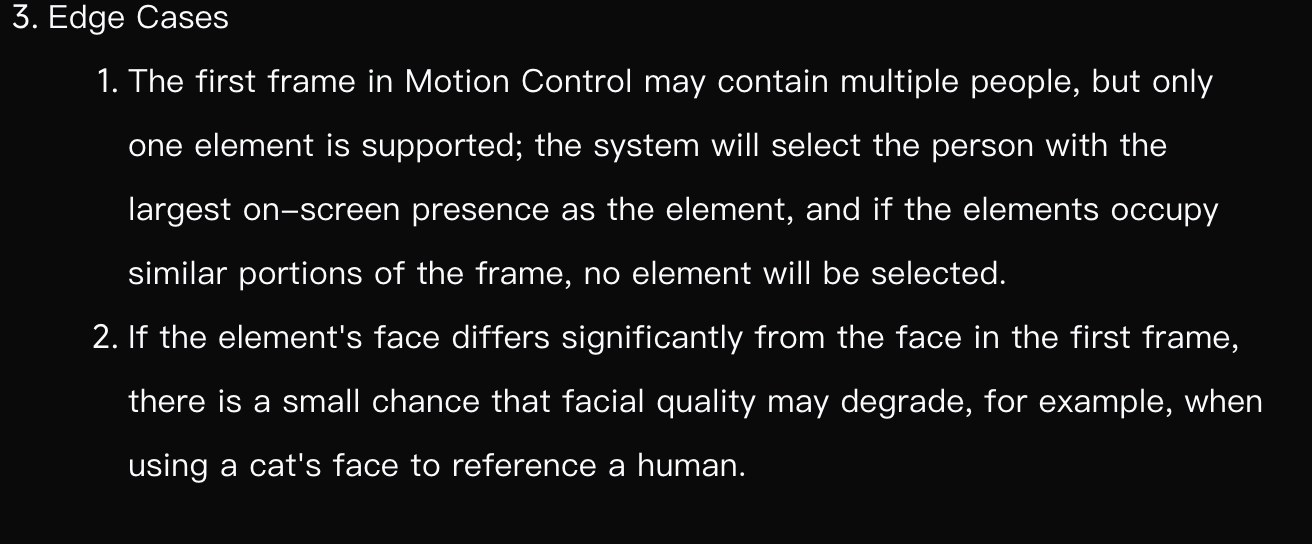
Kling's official guide says Motion Control supports only one character at a time and, if the reference video contains several people, uses the motion of whoever takes up the largest part of the frame, which makes it structurally unsuited to the two-person Hotel Lobby or the crowd dance in STORM. Kling is often the first tool people reach for with dance videos, so this is where many get stuck.
ASAP thinks this difference should change how people choose tools. For a single dancer, the gap between Kling and Genjutsu is small, but the moment the source has several people, the ability to assign who is who by number decides whether the edit works. Since most viral sources are multi-person performances, check how many people a tool can swap before comparing resolution.
To save credits, lock the casting with a single still first
The biggest credit drain in person-swap videos is rerendering the full clip in high resolution, so the cheapest order is to settle the casting with one still, run short 480p tests, and render in high resolution only once at the end.
At the prices above, rerendering 15 seconds at 1080p three times costs about $21.60, while three 480p checks followed by one 1080p render costs about $13.20. STORM's wide crowd shots are where faces smear, so choosing a test segment where the center dancer is framed large makes each check faster to judge.
Can you use a celebrity's face? The lines to respect in Korea
The safest subjects are yourself, people who have consented, pets and characters you created, and putting a real celebrity's or acquaintance's face in without permission creates legal risk.
- Using a celebrity's face and name in ads or sales can infringe publicity rights under Article 2(1)(ta) of Korea's Unfair Competition Prevention Act.
- Sexual deepfakes are punishable under Article 14-2 of Korea's Act on Special Cases Concerning the Punishment of Sexual Crimes, with up to 7 years for making or distributing them and up to 3 years for possessing or viewing them.
- Korea's AI Basic Act, in force since January 22, 2026, requires AI providers to label generative AI output and deepfakes so users can recognize them. The duty falls on providers, but individuals should still turn on the AI labels on Instagram, TikTok and YouTube.
- The original videos and songs have rights holders. Credit the original title and makers in the description, and note that the STORM trend has been criticized for copying the original direction.
A joke video is hard to take back once it spreads. The simplest test before adding a face is whether that person would laugh at the result.
Sources: Higgsfield Genjutsu official blog · A COLORS SHOW, Quavo & Takeoff "HOTEL LOBBY" (YouTube) · GENER8ION "STORM" (YouTube) · How to make the viral Hotel Lobby AI video (Video AI Hub) · How to do the Hotel Lobby AI trend (The Tab, 2026-09-25) · Kling Motion Control User Guide · Wan2.2-Animate (Hugging Face) · AI Basic Act takes effect (Korea Policy Briefing, 2026-01-21)
Related
Vibe Coding Guide 2026: What It Means, How to Start, Tool Comparison, and Risks
How to Use Suno AI in 2026: Making a Song, Free vs Paid, and Copyright
Perplexity Guide 2026: How to Use It, and Free vs Pro vs Max Explained
How to Use NotebookLM in 2026: Free Limits, Paid Plan Differences, and a Step-by-Step Guide

AI & tech,
read in depth
AGI Soon As Possible · asapai.co.kr