Higgsfield Prompt Examples: How to Write Image, Video and Camera Prompts from the Official Guides (2026)
The basic Higgsfield prompt structure: subject, details, environment, style
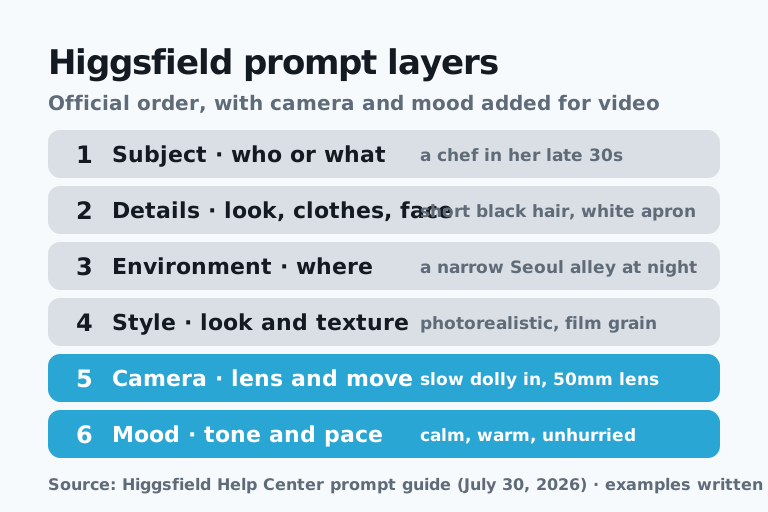
The prompt structure recommended by the Higgsfield Help Center is four layers, subject, details, environment and style, and video prompts add two more layers, camera and mood. According to the guide, a short, vague prompt leaves the model to guess, and it guesses differently every time. You don't have to fill every layer on every prompt, but the more precisely you describe the layers that matter, the more control you have.
| Layer | What to write | Example phrasing |
|---|---|---|
| Subject | Who or what is in the frame | a chef in her late 30s |
| Details | Appearance, clothing, expression | short black hair, white linen apron, focused expression |
| Environment | Where it happens | a narrow Seoul alley at night, steam from food stalls |
| Style | Photorealistic, cinematic and so on | photorealistic, cinematic, fine film grain |
| Camera (video only) | Lens, movement, framing | slow dolly in, 50mm lens, eye level |
| Mood (video only) | Tone and pace | calm, warm, unhurried |
Following the structure layer by layer gives image and video prompts like these.
ASAP example (official structure applied) · image
Photorealistic portrait of a chef in her late 30s, short black hair, white linen apron, focused expression, standing at a small food stall in a narrow Seoul alley at night, steam rising, warm string lights, cinematic, shallow depth of field, fine film grain.ASAP example (official structure applied) · video
A chef in her late 30s flips noodles in a wok at a small food stall in a narrow Seoul alley at night, steam rising into warm string lights. Slow dolly in from medium shot to close-up, 50mm lens, eye level. Calm, warm, unhurried mood, photorealistic, fine film grain.Higgsfield's beginner guide (June 20, 2026) compresses the same idea into four parts: subject, action, setting and camera. Its weak example, "A woman walking.", becomes a strong one once you add a red coat, a rainy Tokyo street at night, a close-up, slow motion and neon reflecting on wet pavement. If you would rather not polish a prompt yourself, the Help Center says you can give Supercomputer a loose request such as "make a TikTok for my sneakers" and it fills in the details. Supercomputer is available on paid plans only.
Why Higgsfield prompts work best in English, plus five official habits
Writing prompts in English is the official Higgsfield recommendation, because the models are trained mostly on English and English gives the most predictable results. The guide also notes an exception: Chinese-developed models such as Seedance and Kling sometimes respond better to Chinese for nuanced motion. For Korean speakers, the practical order is to sketch the scene in Korean first and then translate it.
The same guide lists five habits.
- Say what you want, not what you don't. Instead of a long list of exclusions, name only a few key things to avoid, such as "no readable text" or "no plastic skin."
- Keep simple tasks short. A short clip doesn't need a six-block shot list.
- Avoid contradictions between the prompt and the input image. A "still, calm" instruction fights a motion-blurred source frame.
- Write in English.
- Change one thing at a time. Regenerate after changing only the lighting, the lens or one piece of wardrobe, so you learn what each change does.
For longer sequences, the guide's method is to use the last frame of one clip as the starting image for the next and join them in an editor.
The official four-step cowboy example: carrying one character from still to video
The flagship Help Center example is a four-step flow that creates one man in his early 50s, changes his outfit, places him in a scene and then animates him. The prompt does a different job at each step.
- Base character: a full-body shot against a white studio background that specifies age, hair, skin texture, clothing, lighting and even the camera type (medium format). A plain background makes the character easy to restyle later.
- Same character, new outfit: the prompt first locks the face, pose, background and lighting, then changes only the wardrobe to a Wild West gunslinger. The guide says the phrase "keep the exact same man, same face, same pose" is what holds identity steady.
- Scene placement: the same cowboy moves into a 19th-century Western saloon, described in film terms such as window backlight, a blurred background, shallow depth of field, film grain and an anamorphic look.
- Video: because the image already holds the look, the video prompt describes what happens instead (action, camera, timing and mood). The official example writes a 15 second, six-shot scene in blocks such as Style, Cinematography, Lighting, Color, Camera, Acting and Audio, assigns a 35mm lens to the room and a 75mm lens to faces, and gives each of the three dialogue lines a time window such as 2.4 to 4.0 seconds.
The guide describes a video prompt as closer to a shot list than a sentence and proposes six basic blocks: Style and mood, Cinematography and camera, Lighting and color, Action, Audio and Shot list. Below, the same four steps are applied to a different character.
ASAP example (official structure applied) · step 1, base character
Photorealistic full-body studio portrait of a woman in her late 30s, standing upright and facing the camera, arms relaxed. Short black bob, light freckles, calm confident expression. Plain white t-shirt, dark denim jeans, white sneakers. Plain white seamless backdrop, soft diffused lighting, crisp detail, natural skin texture. Entire body in frame, centered.ASAP example (official structure applied) · step 2, change only the outfit
Keep the exact same woman, same face, same pose, same white studio background and lighting. Change only her outfit: long camel wool coat, cream turtleneck, black trousers, brown leather boots, a small black crossbody bag.ASAP example (official structure applied) · step 3, place her in a scene
Place this exact woman inside a quiet Seoul coffee shop on a rainy evening. Medium close-up at a window seat, rain streaks on the glass, warm pendant lights, blurred street lights outside. Moody cinematic color grading, shallow depth of field, film grain.ASAP example (official structure applied) · step 4, video blocks
Style and mood: Live-action photographic realism, quiet and reflective, a rainy evening in a small coffee shop. NOT CGI-looking, NOT plastic.
Cinematography and camera: 50mm lens, slow dolly in from medium shot to close-up, eye level, no handheld shake.
Lighting and color: Warm pendant lights inside, cool blue street light through the rain-streaked window, soft contrast.
Action: She wraps both hands around a cup, looks out the window, then smiles slightly as her phone lights up on the table.
Audio: Soft rain on glass, low cafe murmur, a cup set down on a saucer. No music, no dialogue.
Shot list: 8 seconds, one continuous shot, 16:9.
Nano Banana Pro image prompts: the five variables in the official guide
The official Nano Banana Pro prompt guide is built around five variables: Subject, Composition, Action, Location and Style. The page text says "six variables," but only five are actually listed. Each variable comes with an official example.
| Variable | Official description | Official example |
|---|---|---|
| Subject | Be specific, avoid ambiguity | Not just "dog" but "a Shiba Inu with metallic plating" |
| Composition | Direct the virtual camera | A macro lens for texture, an isometric view from above |
| Action | Add movement and energy, even to a still | Leaping across a rooftop gap |
| Location | Establish the atmosphere | A neon-lit Tokyo back alley |
| Style | The medium and aesthetic | Vintage 1980s polaroid |
The same page lists finer controls separately.
- Write the aspect ratio as numbers, such as 16:9 or 2:3, and name the shot scale.
- Specify focal length, aperture and shutter speed to get photographic depth.
- Put any text you want rendered in double quotes and name the font.
- Use negative constraints to prevent distorted charts or biological errors.
- When using a reference image, assign a weight to control its influence.
Its quick tips are to drop polite phrases such as "please" and write in command-line style, list what to exclude, lock the seed once you like a result to make a consistent series, and add gear tags such as "Shot on full-frame cinema camera." Most example prompts on the official page are short comma-separated keyword strings, along the lines of an ornate armor close-up with engraved metal, warm torchlight, shallow depth and a castle interior.
ASAP example (official structure applied) · five variables
A Jindo dog wearing a tiny yellow raincoat, low-angle shot with a 35mm lens, leaping over a puddle, a rainy Seoul crosswalk at dusk with blurred neon signs, vintage 1990s film photo, 3:2 aspect ratio, no extra limbs, no distorted paws.ASAP example (official structure applied) · rendering text
Minimal cafe poster, 2:3 aspect ratio, a single iced latte on a pale blue background, top center headline "SLOW MORNING" in bold sans-serif font, small subline "open 8am" below, flat studio lighting, shot on full-frame camera, no extra text, no watermark.Camera movement prompt examples: pan, dolly, zoom, orbit and tracking
A repeatable camera move prompt requires speed, path and end position, not just the name of the move, according to Higgsfield's official camera blog post (July 24, 2026). If you write only "slow dolly in," the model has to guess how slow, where the camera stops and when the background falls out of focus, and it guesses fresh on every run. The post gives a short line you can run as is for each of five basic moves.
| Move | What the camera physically does | What the official line contains |
|---|---|---|
| Pan | Rotates horizontally from a fixed spot | A slow pan left across a coastal town at dusk, tripod fixed, horizon level |
| Dolly | Travels toward the subject | A slow move toward a woman reading by a window at constant speed, ending in a static hold |
| Zoom | Changes focal length while the camera stays put | A slow optical zoom out from a lighthouse at dawn, tripod locked, no travel |
| Orbit | Circles the subject | A 360 orbit around a perfume bottle on a marble table, subject centered, constant radius |
| Tracking | Moves alongside a moving subject | A cyclist along a canal in strict side view at constant distance |
Every official line follows the same order: the move, then the subject and place, then constraints that pin the move down. Swap the subject and you get lines like these.
ASAP example (official structure applied) · five camera moves
Slow camera pan right across a harbor at blue hour, tripod fixed, horizon level.
Slow dolly in toward a barista pouring latte art at a counter, constant speed, settling into a static hold.
Slow optical zoom in on a mountain temple at sunrise, camera locked on a tripod, no travel.
Slow 360 orbit around a ceramic teapot on a wooden table, subject centered, constant radius.
Lateral tracking shot following a runner along the Han River, strict side view, constant distance.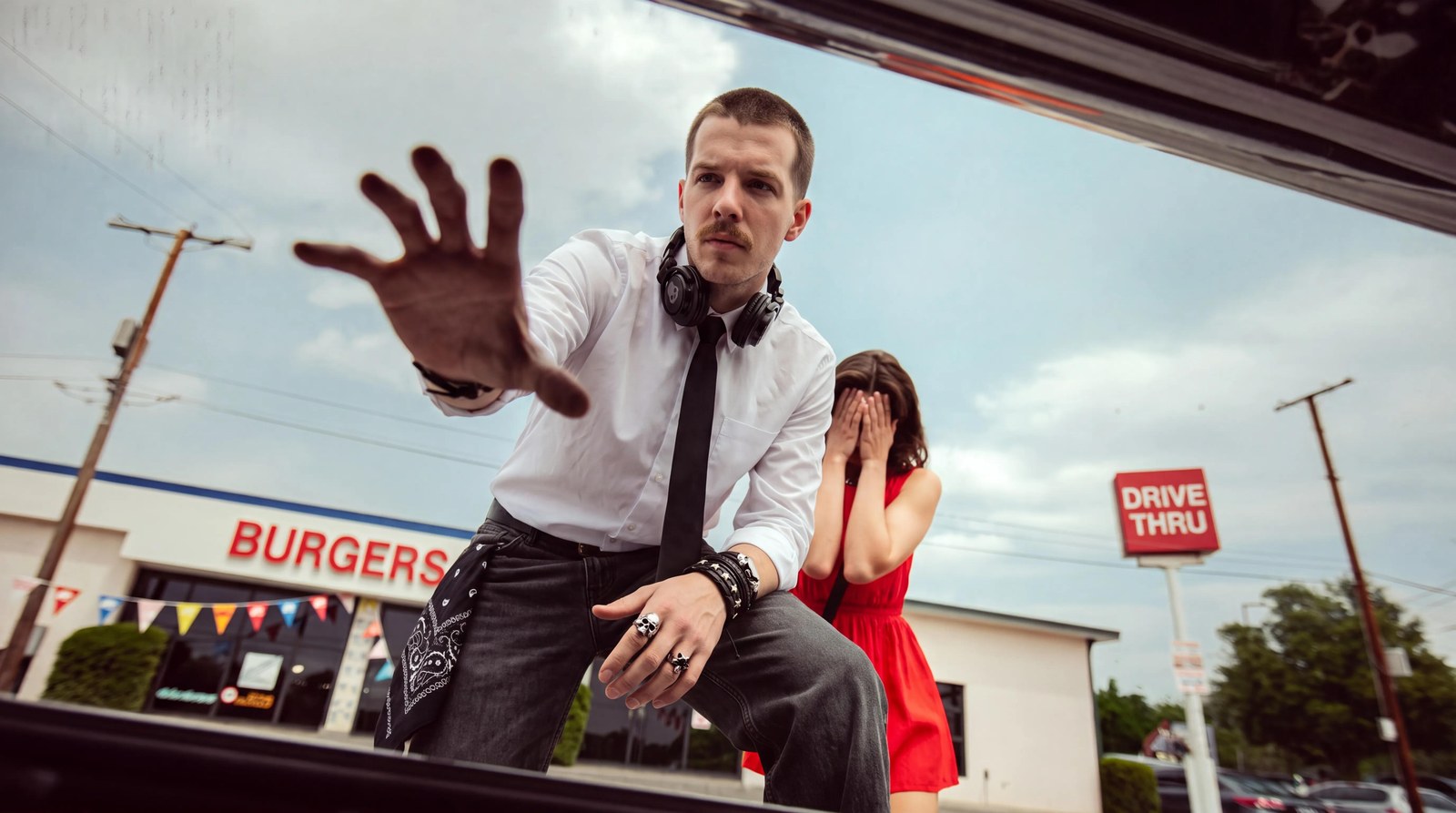
The difference between a dolly and a zoom gets particular emphasis. A dolly physically moves the camera, so perspective changes; a zoom keeps the camera in place and changes only the focal length. Because the two read alike in plain language, the official zoom prompt rules out the competing move directly with wording like "NOT a dolly out." The post also includes a longer technical prompt for every move, with values such as rotation angle, lens height and radius, which is worth using when a short line keeps drifting.
Cinema Studio 3.5 settings: lock move style, lighting and lens as settings
The official approach in Cinema Studio 3.5 is to write only the move itself, such as a pan or a dolly, in the prompt, and to fix move style, lighting, lens, focal length and aperture as settings before generating. The blog puts it this way: lighting described in a prompt is a suggestion that gets reinterpreted on every run, while a lighting preset is a hard constraint the model builds from.
| Setting | Options (per the official blog table) |
|---|---|
| Genre | General, Action, Epic, Drama, Comedy, Horror, Noir |
| Color Palette | Auto, Naturalistic Clean, Bleached Warm, Hyper Neon, Teal & Orange Epic, Sodium Decay, Cold Steel, Bleach Bypass, Classic B&W |
| Camera MoveSet Style | Auto, Classic Static, Silent Machine, One Take, Epic Scale, Intimate Observer, Impossible Camera, Documentary Snap, Raw Chaos, Dreamy Flow |
| Lighting | Auto, Soft Cross, Overhead Fall, Contre-jour, Window, Practicals, Silhouette |
| Camera | Auto, Raw 16mm, Fine Film, Clean Digital |
| Lens | Auto, Clinical Sharp, Extreme Macro, Anamorphic, Warm Halation, Vintage Haze |
| Focal Length | Auto, 8mm, 14mm, 35mm, 50mm, 75mm |
| Aperture | Auto, f/1.4, f/4, f/11 |
| Aspect Ratio | Auto, 1:1, 3:4, 4:3, 9:16, 16:9, 21:9 |
| Resolution · Duration | 480p, 720p, 1080p, 4K · 4 to 15 seconds |
The blog introduces Camera MoveSet Style as 10 styles, and the settings table lists Auto plus nine named styles. The prompt decides which move happens; the style decides how that move physically behaves. Epic Scale is IMAX-level movement, Silent Machine is slow, invisible precision, Raw Chaos is aggressive shake, and Classic Static holds the frame completely still.
Among the lighting presets, Contre-jour puts the source behind the subject for a rim-lit silhouette, Practicals lights the scene only with sources visible in the frame, and Soft Cross lights half the face for dramatic asymmetry. For lenses, Clinical Sharp is clean commercial work, Anamorphic gives oval bokeh and horizontal flare, Warm Halation lets highlights bloom gently, Vintage Haze brings the soft edges of older glass, and Extreme Macro handles magnified close detail. The blog notes that the same orbit line reads as a clean product shot with Clinical Sharp and as a theatrical reveal with Anamorphic.
On cost, the official blog lists a 4 second clip at about $1 in 720p and $2 in 1080p, and a 15 second clip at about $3.75 in 720p and $7.50 in 1080p, so it recommends testing a move at 720p and spending on 1080p only once the shot is confirmed. Turning on Native Audio does not change the cost. As of October 2026, Cinema Studio opens on version 4.0, which runs on Seedance 2.5, and the selector at the top switches between versions 2.0 through 4.0.
DoP presets: pick a preset for a single image and describe the scene
DoP is Higgsfield's own image-to-video model; it cannot generate from text alone and instead turns one keyframe image plus a chosen preset into a 3 or 5 second clip. It appears as Higgsfield Standard in the model selector, and the preset defines the camera move or effect of the clip. The preset categories are listed below.
| Category | What it holds |
|---|---|
| Effects | VFX-driven transformations |
| Basic Camera Control | Standard camera moves |
| Epic Camera Control | More intense camera moves |
| Catch the Pulse | A curated themed collection |
| New, Trending | The latest and most-used presets |
| Top Choice | Curated highlights |
| Mix | Several presets combined in one generation |
Because the preset handles the camera logic, the DoP prompt describes the details of the scene. The Enhance toggle expands a short prompt automatically. The official doc says to start from a sharper keyframe if the clip looks soft, to switch presets or categories if the motion isn't what you wanted, and to add specifics if the scene barely changes.
ASAP example (official structure applied) · DoP, with a Basic Camera Control preset
A street food vendor in a narrow night market, steam rising from a large pot, string lights swaying slightly in the wind, customers passing in soft focus behind her, warm and lively atmosphere.Seedance 2.5 prompt structure: style at the top, sound at the bottom
The structure recommended by the official Seedance 2.5 prompting guide (August 13, 2026) is one block of text divided into labeled sections that starts with GLOBAL STYLE and ends with AUDIO. Per the official blog, Seedance 2.5 is ByteDance's video model and supports clips up to 30 seconds, up to 1080p, up to 50 reference images and any aspect ratio from 9:16 to 21:9, with sound generated in the same pass. The sections run in this order.
- GLOBAL STYLE: genre, color grade, film or digital look, aspect ratio, shutter, and anything that shouldn't appear
- SCENE: a one-line logline of what happens, where, and in what mood
- CHARACTERS: face, hair, build and wardrobe for everyone in the shot; if a reference covers it, just note which reference is which character
- LOCATION: the space and its props, separate from the people; a vague location is the most common reason a multi-shot sequence drifts
- FIRST FRAME AND BLOCKING: who is where and facing which way as the clip begins
- Shot 1, Shot 2…: shot type and action in a sentence or two, ending in "Hard cut" wherever a cut belongs
- OPTICS, CAMERA: focal length, camera height, and handheld, dolly or crane per shot
- PHYSICS: how fabric, smoke, hair and liquid move
- LIGHTING: where the light comes from, its direction and how it falls on faces
- AUDIO: ambience, specific sound effects, and what shouldn't be heard
The guide sums this up as one visual rule at the top, one sound rule at the bottom, and shots in between. It also publishes results from repeated runs in 10 categories: drama, action, commercial product, epic landscape, noir, multi-character, fantasy action, UGC-style ad, horror and documentary. Four of its conclusions are immediately useful.
- Faces and products hold across cuts more reliably when locked with a reference image than when described in text.
- Genre and lighting settings do more work than most of the prompt text.
- Fifty references is a ceiling, not a target; a small set with one image per element gives a more coherent result.
- Stating what shouldn't appear in GLOBAL STYLE and AUDIO prevents more failures than adding more positive description.
The rule from the Seedance 2.0 guide (April 13, 2026) is worth keeping too: state the number of shots, the total duration and the aspect ratio at the top of the prompt, and if skin looks plastic, add wording that rules out 3D, cartoon and VFX looks.
ASAP example (official structure applied) · Seedance 2.5, 10 second product ad
GLOBAL STYLE: Live-action commercial, 10 seconds, 3 shots, 9:16 vertical, bright natural daylight, clean color, real-time motion. No logos, no readable text, no music.
SCENE: A young man finds a steaming ceramic mug on a park bench on a cold morning and takes the first sip.
CHARACTERS: THE MAN, late 20s, short black hair, navy padded jacket, grey knit scarf. Identity and wardrobe locked to the reference image.
LOCATION: A quiet city park in early winter, frost on the grass, a wooden bench under a bare tree. The mug is matte white and unbranded, exactly as in the product reference.
FIRST FRAME AND BLOCKING: The man walks in from screen-left, the bench and the mug sit at frame center.
Shot 1: Medium wide, he stops and notices steam rising from the mug. Hard cut.
Shot 2: Close-up on his hands, both palms wrapped around the mug, five fingers on each hand. Hard cut.
Shot 3: Close-up on his face as he sips, exhales a small cloud of breath and smiles.
OPTICS and CAMERA: 35mm for shot 1, 85mm for shots 2 and 3, handheld with light natural shake, eye level.
PHYSICS: Steam curls upward and drifts left in a light breeze, his breath fogs in the cold air.
LIGHTING: Low morning sun from screen-right, soft cool fill from the sky, warm rim light on the steam.
AUDIO: Distant birds, footsteps on frozen gravel, a soft exhale after the sip. No music, no dialogue.
The template from Higgsfield's YouTube tutorial: five blocks from STYLE REFERENCE to NEGATIVE
The template distributed with a Higgsfield YouTube tutorial is a format that splits each clip into five blocks: STYLE REFERENCE, SCENE, MOTION, AUDIO and NEGATIVE. It does not appear in the official Skills list on the higgsfield.ai Help Center (generate, soul and product-photoshoot), so ASAP treats it as a semi-official example rather than official documentation. It was built for collage-style explainer videos in which cut-out photos and hand-drawn marks move around the frame.
- STYLE REFERENCE: an instruction to match the attached style image, plus style keywords
- SCENE: the composition that visualizes that block's narration
- MOTION: how elements enter, the camera move, and what animates in the frame
- AUDIO: ambience and sound effects only, no voice
- NEGATIVE: an exclusion list copied unchanged into every block
ASAP example (tutorial template structure applied)
STYLE REFERENCE: Match the attached style image exactly, editorial paper collage, photo cutouts with white borders, flat color backgrounds, hand-drawn marker circles and arrows.
SCENE: A flat navy background. Cutouts of a smartphone, a coffee cup and an alarm clock drop into a row, then a red marker circle draws itself around the alarm clock.
MOTION: Cutouts pop in one by one with a slight overshoot, slow camera push-in toward the clock, the marker circle draws in one stroke at the end.
AUDIO: Soft paper rustles, a quick whoosh for each cutout, a light ticking clock. No voice, no narration.
NEGATIVE: readable text, letters, numbers, subtitles, watermark, logo, live-action footage, 3D render, talking characters.
Technical values distributed with the template, such as tool names, model IDs and costs, could not be confirmed in official documentation and are left out of this article.
Seven common mistakes: the model fills whatever the prompt leaves open
All seven video prompt mistakes in Higgsfield's official blog post (August 3, 2026) are caused by gaps the prompt leaves open for the model to fill on its own. Things you don't write, such as an exact age, a light source or where a camera move ends, still get decided; the model just decides them instead of you.
| Mistake | Why it happens | Official fix |
|---|---|---|
| Characters look plastic or fake | Described only in general terms | Exact age, build and clothing, backed by a reference or Soul ID |
| Extra fingers or fused hands | Points of contact never specified | Name where objects sit and how hands make contact |
| Emotion doesn't read | Only mood words | Tie it to a visible action: a gaze, a held breath, a sigh |
| Lighting misses the mood | Source, angle and time of day never named | State them, or set genre and lighting in Cinema Studio |
| Movement bends or looks unnatural | One adjective instead of a path | Spell out the turn, tilt and angle, or lock it as a setting |
| Cluttered shots, no focal point | No job assigned to each shot | One job per shot, cut the rest |
| Characters drift in complex scenes | Nobody's position written down | Storyboard in Popcorn first |
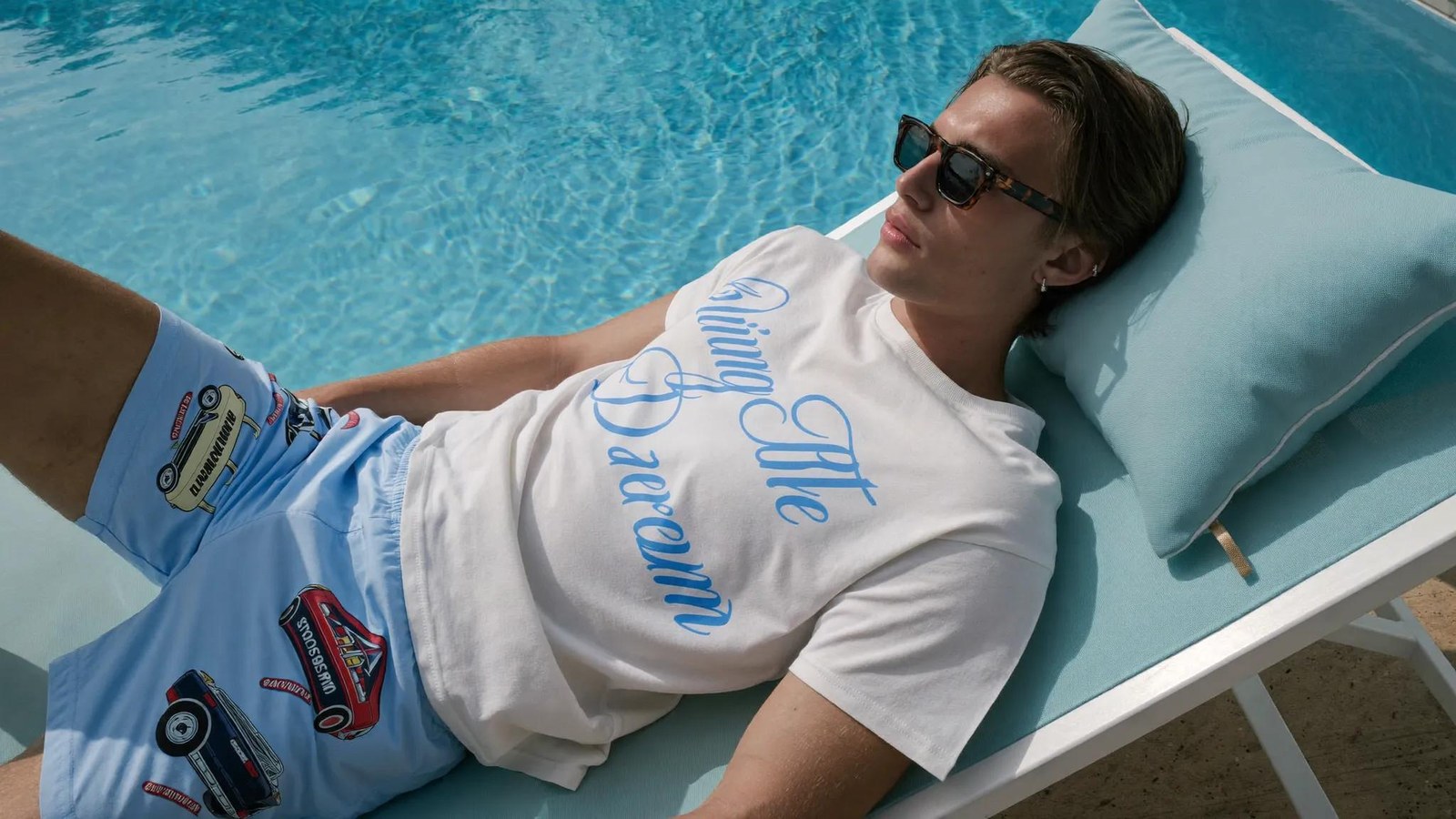
The bad prompts in the official post share a pattern. They pile on quality words like "8k, hyperrealistic, best quality" and hand decisions to the model with phrases asking it to pick the coolest angle. The good prompts put the number of people, their ages and clothing, camera height and field of view, and a single light source in those places instead.
ASAP example (official structure applied) · before
Epic cinematic cafe scene, 8k, hyperrealistic, best quality, a couple talking, dynamic angles, choose the best composition.ASAP example (official structure applied) · after
SCENE: Two friends talk at a window table in a small cafe, late afternoon, one continuous take, about 8 seconds, real-time.
CAST: Woman 28, long straight black hair, cream knit sweater. Man 30, short brown hair, dark green shirt. Exactly two people, no extra figures.
BLOCKING: She sits screen-left, he sits screen-right, the window behind them.
CAMERA: Static, eye level, 50mm lens, medium two-shot.
ACTION: She laughs and slides a cup toward him with her right hand, fingers around the cup body.
LIGHT: One source, low warm sun through the window from behind, soft fill from the room.
AUDIO: Quiet cafe murmur, a cup sliding on wood. No music.
The post also lays out a six-step writing order that avoids these mistakes.
- Set the scene and lock the cast: name the setting and duration, and give each person an age, build, outfit and one distinguishing detail.
- Block the scene before writing action: who is where, and which direction they move.
- Define the camera as a physical setup, not a mood: field of view, distance, and whether it is static, handheld or moving.
- Write the action one beat at a time, as a start position and an end position.
- Set physics and lighting as real events: one source, one direction, one color.
- Decide the audio and the finish: whose line is whose, whether music plays, and whether text, logos and watermarks are ruled out.
ASAP's view: the key to Higgsfield prompts is splitting work between settings and words
In ASAP's view, the key to writing good Higgsfield prompts is not longer, more polished sentences but deciding what to lock as a setting and what to write as text. Read side by side, the 2026 official documents order things a little differently: the Help Center starts with the subject, the beginner guide uses subject, action, setting and camera, Nano Banana Pro uses five variables, and Seedance 2.5 puts style at the very top. The common denominator is the same five things: who, what, where, how it is filmed, and what to leave out.
They also point in one direction. Physical elements such as move style, lighting and lens move into Cinema Studio settings, DoP presets and reference images, and the prompt keeps the people, the action and the feel. So when you borrow the examples in this article, borrow the skeleton rather than the sentences. Higgsfield's blog states that credits are charged at the point of generation whether or not you keep the result, so the cheapest workflow is to note the six layers in your own language, translate them into English, and test at 720p while changing one thing at a time.
Related Higgsfield guides: getting started, free use, pricing and Genjutsu prompts
The best starting point for new Higgsfield users is the getting-started guide, and the free-use and pricing guides are worth reading together if credit costs are a concern. For the STORM and Hotel Lobby videos that went viral in September 2026, the Genjutsu prompt guide is the right fit.
- [Higgsfield getting-started guide](/en/higgsfield-guide/): from sign-up to your first generation and which tool to use when
- [How to use Higgsfield for free](/en/higgsfield-free/): what the free plan can and cannot do
- [Higgsfield pricing and plans](/en/higgsfield-pricing/): credits per plan and refund conditions
- [How to use Higgsfield Genjutsu](/en/ai-video-person-swap-guide/): Motion Transfer prompts for the STORM and Hotel Lobby trends
Sources: How do I write a good prompt? (Higgsfield Help Center, 2026-07-30) · How do I create my first generation? (Higgsfield Help Center) · Nano Banana Pro Prompt Guide (Higgsfield) · How to Control Camera Movement, Angles, and Lens in AI Video (Higgsfield blog, 2026-07-24) · How do I use Cinema Studio? (Higgsfield Help Center) · How do I use DoP? (Higgsfield Help Center) · Seedance 2.5: Complete Prompting Guide (Higgsfield blog, 2026-08-13) · Seedance 2.0 Complete Prompting Guide (Higgsfield blog, 2026-04-13) · Common AI Video Prompt Mistakes (Higgsfield blog, 2026-08-03) · How to Make AI Videos as a Beginner (Higgsfield blog, 2026-06-20) · AI Video Credits Explained (Higgsfield blog)
Related
Higgsfield Pricing Explained: Plans, Prices, Credits and Refunds
How to Use Higgsfield (2026): From Sign-Up to Your First Video
Can You Use Higgsfield for Free? The 0-Credit Free Plan and the Cheapest Way to Try It (2026)
How to Use Higgsfield Genjutsu: Swap the Person in Famous Videos Like the STORM and Hotel Lobby Trends (2026)

AI & tech,
read in depth
AGI Soon As Possible · asapai.co.kr